
The problem
HR software needs to coordinate employee records and approval workflows without exposing the same information to everyone. An employee, a manager and a payroll administrator need different views and different rights.
PeopleOps brings these workflows into one application. Company context and authorization are part of the operations themselves, rather than only a set of menus in the interface.
What it does
- Employees and organization: employee profiles, organizational units and reporting relationships, with sensitive-field handling.
- Leave and attendance: leave requests and decisions, plus attendance records.
- Payroll: payroll runs, payslips and a publication workflow.
- Recruitment: candidate records and hiring stages.
- Access policies: actions are checked against policies using the account, roles and company context.
- Audit and data tools: audit records, CSV/JSON transfer and backup workflows.
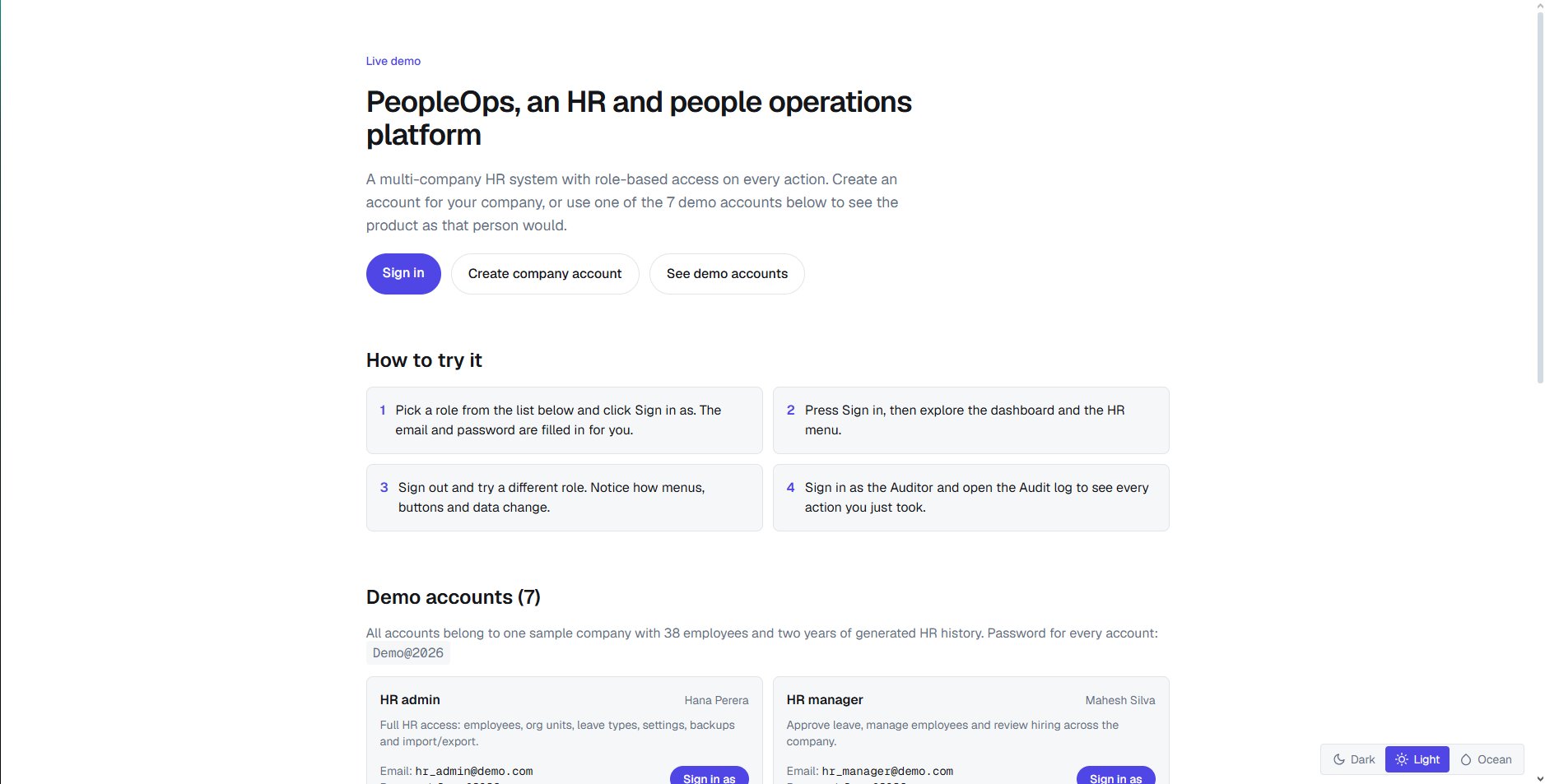
The demo lets visitors explore sample HR data through different account roles and see how permissions change the interface.
Decisions that shaped it
Keep authorization beside the operation
The authorizer loads applicable policies using the user's company, account and roles. It evaluates the requested action against the resource. An asserted denial is recorded in the audit log and throws a forbidden error. This provides an application-level authorization boundary beyond hiding buttons.
Separate workflows from persistence
The code separates feature interfaces, application services, domain definitions and infrastructure repositories. HR module definitions describe fields, filters and transitions; infrastructure adapters handle persistence.
Use a relational application stack
PeopleOps uses Next.js, React and TypeScript, with Prisma and its MariaDB adapter for the MySQL database. The repository defines type-checking, Vitest and dependency-boundary checks alongside the application.
Workflow rules
Leave requests have explicit transitions such as submission, approval, rejection and cancellation. Submission checks the leave allowance; rejection requires a decision note. HR preparation logic also checks date ordering and company-owned references.
Employee relationships are validated before saving: an employee cannot manage themselves, and an organizational unit cannot be placed under itself. These rules keep invalid relationships out of the workflow rather than only warning in the form.
Backups and recovery
Backups are compressed bundles of supported tables, with a checksum stored beside the backup record. Loading a backup verifies the checksum and format before processing its contents.
Restore supports a dry run. Applying a restore first creates a safety backup, then performs table writes in a transaction. Authorization is checked for the scope and the table operations. This keeps recovery connected to both data integrity and access control.
Deployment
The repository provides Docker Compose services for MySQL, a migration/seed job, the Next.js application and Caddy. The application waits for migration completion, and Caddy provides the public HTTPS entry point.
The bundled database port is bound to localhost. Named volumes hold database and backup state. The default public hostname in this configuration is peopleops.farvees.xyz.
Result
PeopleOps combines employee and organization records, approval flows, access policies and recovery tools in one codebase. The demo provides a way to explore these workflows through different account roles.
For my first project, it brings together the interface, business rules, persistence and deployment setup needed for an HR application. The implementation is available in the public repository.
What I'd do next
The next improvements I'd focus on are:
- Add screenshots of the actual employee, leave and policy views to this case study.
- Create a walkthrough showing how the same workflow appears to an employee, manager and HR administrator.
- Record reproducible deployment and performance checks to document operational behavior.